









Print materials and digital content may seem worlds apart, especially when it comes to design and strategy. However, finding ways to combine them can often make the materials you’re creating for your business even more effective and engaging.
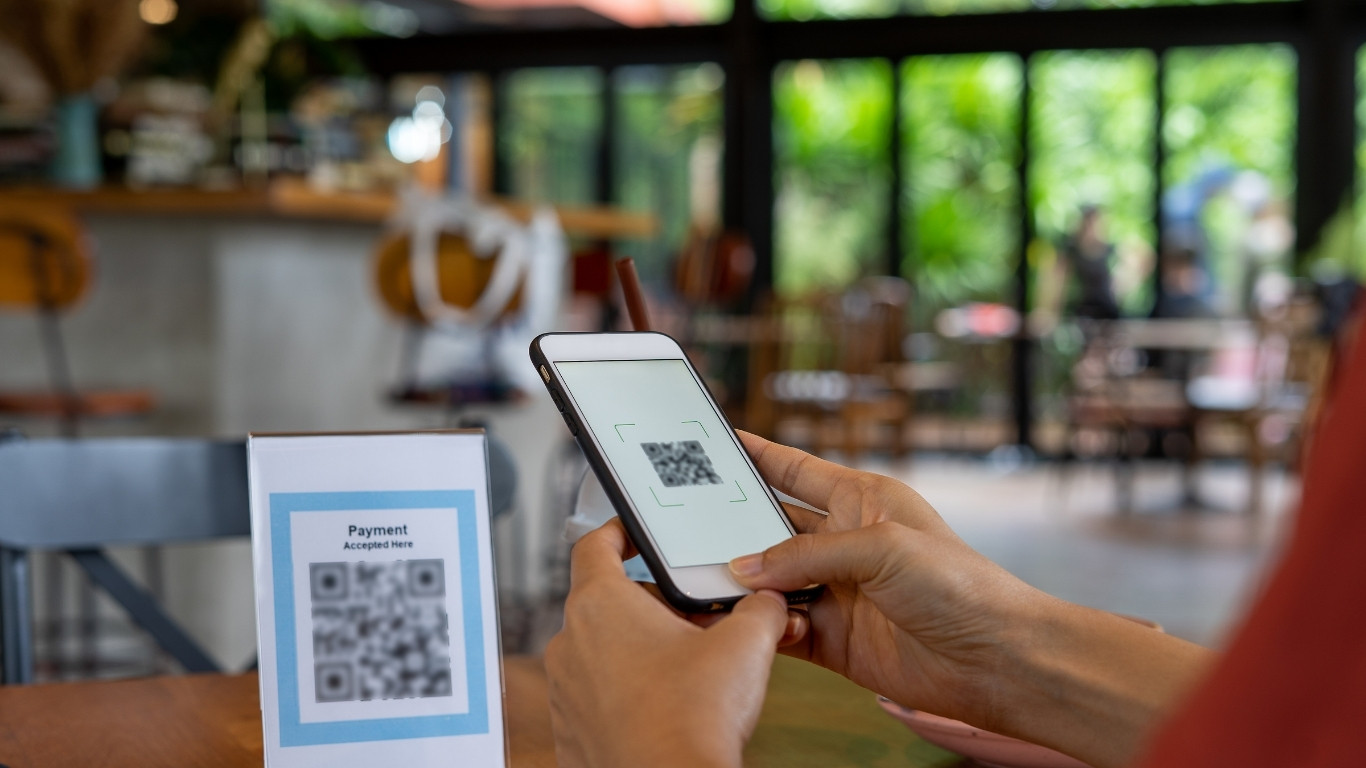
A practical way to bring print and digital together is through QR codes. By incorporating this simple, scannable element into posters and signage, businesses can transform static designs that convey a single message into interactive tools that can direct customers to their website, menu, campaign landing page, videos, and more.
As expectations continue to shift toward speed and convenience, adding QR codes to print is becoming a more strategic option to expand your reach and enhance engagement.
READ MORE: How Print Is Still Relevant in a Digital-First World
Tips When Using QR Codes on Print Materials
Bringing print and digital marketing together doesn’t need to be complicated, but having a plan in place is key. Instead of just adding a QR code to your materials, think about the experience you want someone to have when they scan it. Do you want them to save time? Learn more about a sale? Book a service on the spot? Starting with a goal can make your print far more effective.
Start with a clear purpose
Every QR code should lead somewhere intentional, making the experience feel useful rather than random. Here are some ways QR codes can be used for a purpose:
- Promote an in-store sale: If your store has a sale going on, a QR code can link directly to a product catalogue, featured items, or a dedicated landing page with full details. This keeps your poster clean and easy to read while still giving customers access to everything they need before they even step inside your store.
- Simplify sign-ups at events: Whether it is a community event or grand opening, QR codes make it easy for attendees to sign up for emails or register for services on the spot. Instead of typing out a URL, they can scan and complete the process quickly, reducing friction and increasing participation.
- Provide instant access to menus: For restaurants and cafés, QR codes offer a simple way to showcase menus without overwhelming window signage. Passersby can quickly browse offerings on their phones, save the menu for later, or share it with others before deciding to come in.
- Share detailed product information: In retail environments, signage can only hold so much information. A QR code can link to product specifications, reviews, demonstration videos, or additional details (e.g., environmental impact, sourcing, ingredients, etc.), helping customers feel more confident in their purchasing decisions.
- Support appointment bookings: Service-based businesses (e.g., salons, clinics, fitness studios, etc.) can use QR codes to direct customers right to their booking page, making it easier for someone to act in the moment when they are interested.
- Collect feedback or reviews: Customer feedback is a valuable insight to have, but gathering it is not always easy. Adding a QR code to your print materials means a simple scan can remove barriers and increase the likelihood they will leave feedback.
Maintain your brand style on QR codes
When you think of a QR code, you might envision that classic black and white square. And while this can be considered a universal look, there are ways to make QR codes feel like natural extensions of your brand rather than an add-on on your print design. Some ways to keep QR codes on brand include:
- Use brand colours carefully: Look for a QR code generator that allows you to change the colour of the QR code that maintains your palette, while maintaining enough contrast so it can be easily scanned. Using a dark code colour on a light background typically tends to work best.
- Add subtle customization: Some QR code generators allow you to add a small logo, which can be a great option to reinforce brand recognition.
- Consider the surrounding design: You don’t want a QR code to stand out like a sore thumb against your branded materials, but you also want to make sure it’s noticeable. When creating your print materials, consider the QR code as one of the first design elements and work your way around it so your design is still consistent, but the QR code is not an afterthought.
Add a tracker to each QR code for further insight
Print marketing has many advantages, but one drawback is the inability to tell who has viewed it. An advantage of QR codes is that you can add a tracking feature, allowing you to see how many people scanned it. Based on the results, you can tweak your strategy, such as by designing new posters and signage that make the QR code more visible (if not many people scanned it) or adding QR codes to more of your print materials (if you receive many scans). This trial-and-error approach can help guide your future marketing decisions.
Use a dynamic QR code over a static QR code to prevent reprinting
How and when you use a QR code will depend on your print material. If you use a poster or signage for a specific, one-time event, using a static QR code, which is a permanent, non-editable code, may be a good option. However, if your print material is more general, a dynamic QR code, which lets you change the URL whenever you want, can be a better choice.
Adding a dynamic QR code to a business card, menu, window graphic, decal, or any other signage can support multiple campaigns and websites over time on a single print material, making it a more cost-effective investment.
Test the QR code before printing
Before printing a QR code, it’s important to test that it scans quickly and easily and that it directs to the correct destination. Additionally, make sure that the page or website you’re linking to is optimized for mobile devices. You wouldn’t want to go through the effort of adding a QR code only to have the user experience diminish when someone scans it, simply because the website isn’t accessible or user-friendly on their mobile device.
Print Posters and Signage with Print Three
Have a design with a QR code in mind and are ready to make it tangible? Print Three can help! Learn more about our print services, including our custom sign options, and visit a Print Three location near you to get started.